
AI Summaries
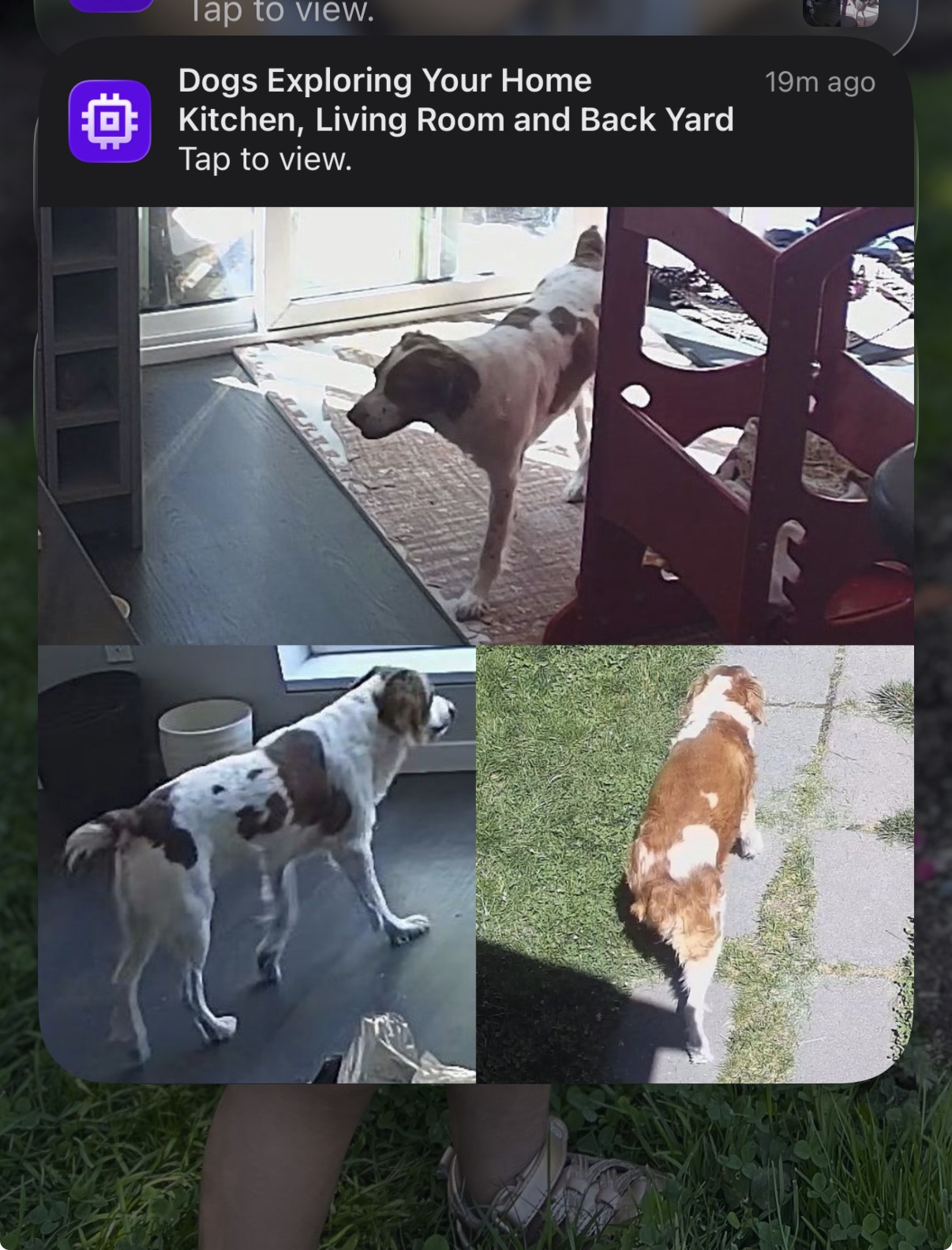
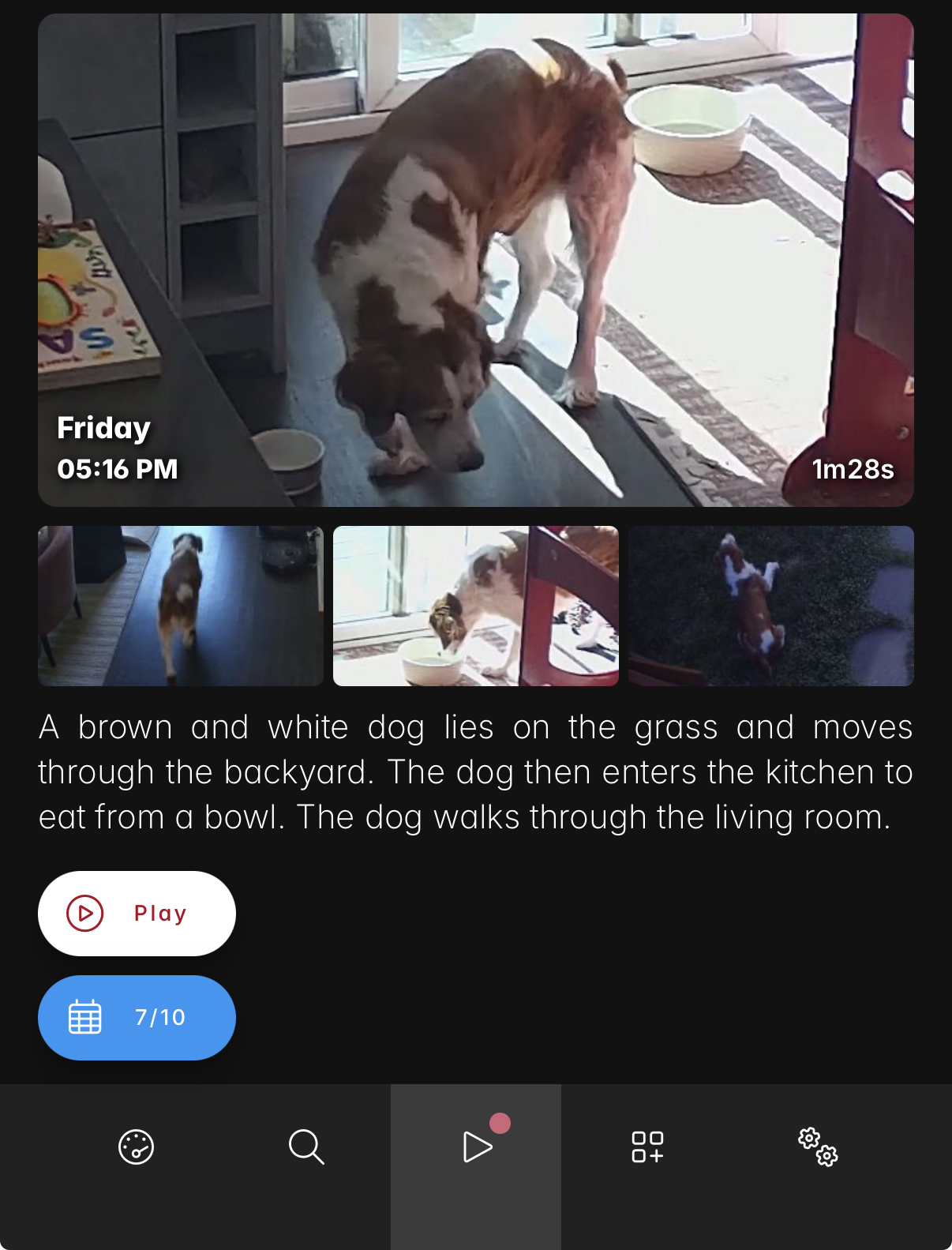
Scrypted NVR can use AI to automatically generate natural-language descriptions of camera events. When detections occur, the AI produces a short summary and title that is delivered as a push notification and displayed in the NVR app's Stories tab.
Setup
AI Summaries are configured in the Scrypted Management Console, under the AI Summary settings for the NVR plugin. Set the AI Provider to one of the following:
- Cloud: Uses a cloud-based AI provider (OpenAI, Anthropic, or Gemini). An API key is required.
- Local: Uses a local AI model running on your Scrypted server. Requires the
LLM Pluginand can use llama.cpp or connect to any OpenAI compatible endpoint.
TIP
Local models allow running AI Summaries entirely on-premises without sending images to the cloud.
Cloud Providers
Select a provider and enter the API key. A default model will be auto-populated, but any compatible model can be specified. Use the Test Endpoint button to verify the connection.
Camera Groups
By default, all cameras are summarized together. Camera groups can be created in the Advanced settings to generate separate summaries for different sets of cameras, such as "Indoor" and "Outdoor".
WARNING
When camera groups are defined, cameras that are not assigned to any group will be excluded from AI Summaries entirely.
Notifications
When a summary is generated, a push notification is sent with an AI-generated title and a montage of detection thumbnails. Summary notifications can be enabled or disabled per camera via the notification settings, under the Summary notification type.
Stories
The NVR app's camera timeline includes a Stories tab that displays AI summaries as story cards. Tapping a story navigates to the camera's timeline at the relevant timestamp to view the recording.